Inspector
Monitor. Restart. Report.
A small Docker watchdog for home servers: it watches the containers you pick,
restarts them when they break, and tells your phone about it.
Install with Portainer ·
How-to guide ·
Changelog

## What it does
- **Watches the containers you choose.** Each check sorts a container into
healthy, unhealthy, not running, starting, and so on.
- **Restarts them when they break**, with sensible brakes: a container has to fail
several checks in a row first, there's a cooldown between restarts, a grace
period while it boots, and an hourly cap so a crash-looping app can't take over
your server.
- **Alerts you** through [Gotify](https://gotify.net) and/or
[Pushover](https://pushover.net): once when something breaks, once when it's
restarted, once when it recovers. Not on every check.
- **Is set up entirely in the browser.** Add, edit, and remove containers, set up
notifications (with a **Send test** button), and change every setting from the
dashboard. No YAML editing needed.
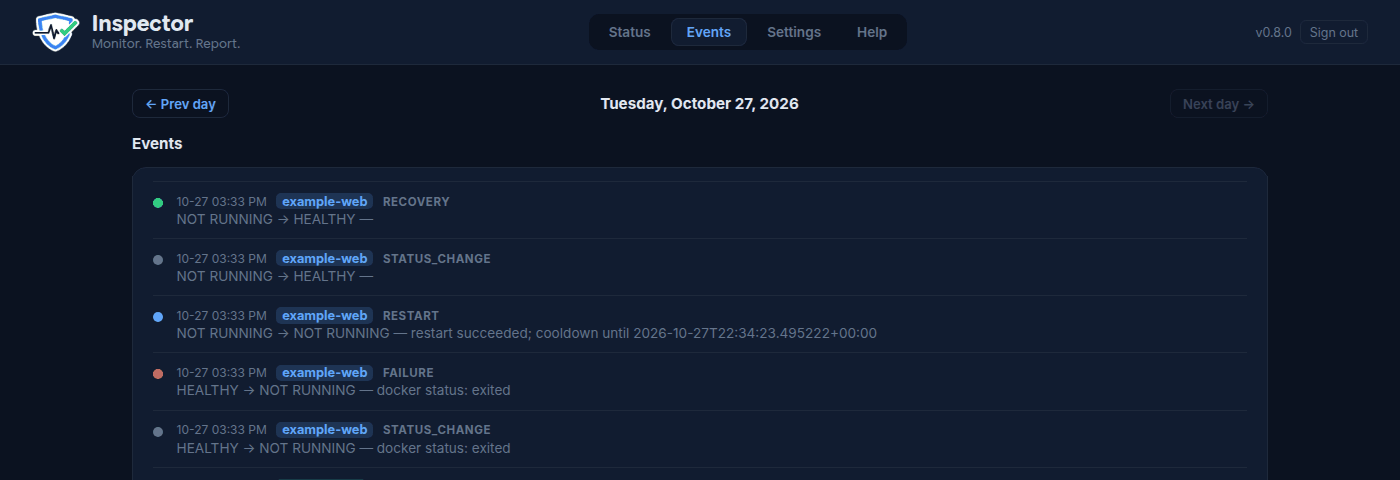
- **Keeps a history.** The Events page shows a day-by-day timeline of failures,
restarts, and recoveries, and an optional digest summarizes it for you.
- **Stays out of the way when you're working.** Put a container in maintenance or
mute its alerts with one click, or set a nightly maintenance window for backups
and updates.
- **Works in your time zone.** Set `TZ` in the stack and the maintenance window,
alerts, dashboard and logs all follow it.
## Install
Inspector is built to be installed from **Portainer**: paste one compose file into
**Stacks → Add stack**, set a folder and a password, deploy. Inspector creates its
own config and sets up Docker access by itself.
**→ [Step-by-step Portainer install](./INSTALL.md)**
## Using it
Once it's running, click **Help** in the dashboard header for the illustrated
guide (the same guide is in this repo at
[`src/inspector/assets/guide/guide.html`](./src/inspector/assets/guide/guide.html);
download it and open it in a browser to read it here).
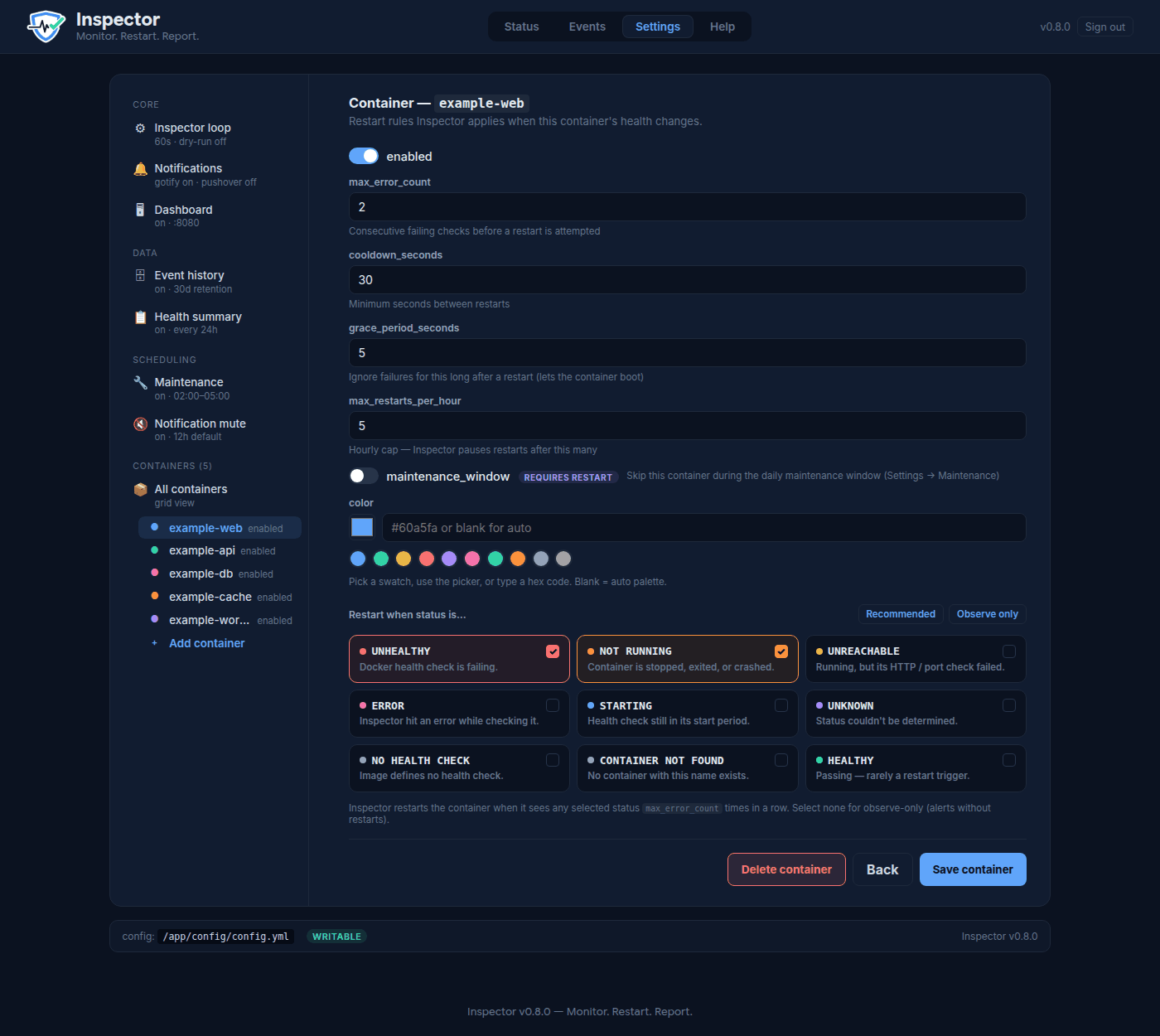
| Add a container | Restart rules |
| ------------------------------------------------------------------- | -------------------------------------------------------------------- |
|  |  |
| Notifications | Events history |
| ------------------------------------------------------------------------------- | --------------------------------------------------------- |
|  |  |
## What it isn't
- **Not a monitoring/metrics system.** No graphs of CPU or memory; use Grafana,
Netdata, or Uptime Kuma for that.
- **Not an orchestrator.** It only touches the containers you add, and only to
restart them.
- **One Docker host per Inspector.** Run one copy on each server.
## Advanced options
Most people never need these. They are all on each container's page in the
dashboard (and in `config.yml`, see
[`config.example.yml`](./config.example.yml) for every option with comments).
- **HTTP checks**: mark a container `UNREACHABLE` when a URL stops answering,
even if Docker says it's healthy (useful for apps behind a VPN container).
- **Uptime Kuma**: use a Kuma status page as an extra reachability signal.
**Test connection** lists the monitors Inspector can see.
- **Dependencies** (`depends_on`): don't restart an app while the container it
relies on (e.g. a VPN) is down.
- **Portainer stack redeploy**: for containers that share a VPN container's
network, recover by redeploying the whole stack instead of restarting one
container. Set up the Portainer connection under **Settings → Portainer**;
**Test connection** lists your stacks.
## Security
Inspector needs the Docker socket (`/var/run/docker.sock`) to restart containers,
and that socket is effectively root on your server. So:
- Keep the dashboard on your home network, or put it behind a VPN or a reverse
proxy with authentication. Don't expose port 8080 to the internet.
- Use a real dashboard password. Repeated failed sign-ins from one address are
blocked for a few minutes.
- Inspector itself runs as an unprivileged user; it starts as root only to detect
the socket's permissions and fix ownership of its own folders.
## Versions
Releases follow `MAJOR.MINOR.PATCH`. Every release is published as an image tag;
`latest` is the newest. See the [CHANGELOG](./CHANGELOG.md) for what changed, and
[INSTALL.md](./INSTALL.md#4-updating) for updating, pinning, and rolling back.
## License
[MIT](./LICENSE) © 2026 Europium 63